A new profile without starting over
Profile Cloner copies an existing local profile and its saves under a new name. The original stays in place, and the copy is checked before it becomes available.
- Works with local ETS2 and ATS profiles.
- Starts with the game-data folder selected in Mod Manager, with a custom-folder option when needed.
- Checks the copied files and the new profile name.
- Never overwrites or merges with an existing destination. If a required check fails, it stops.
Create a clone
- Apply or undo any Mod Manager changes, then close the selected game.
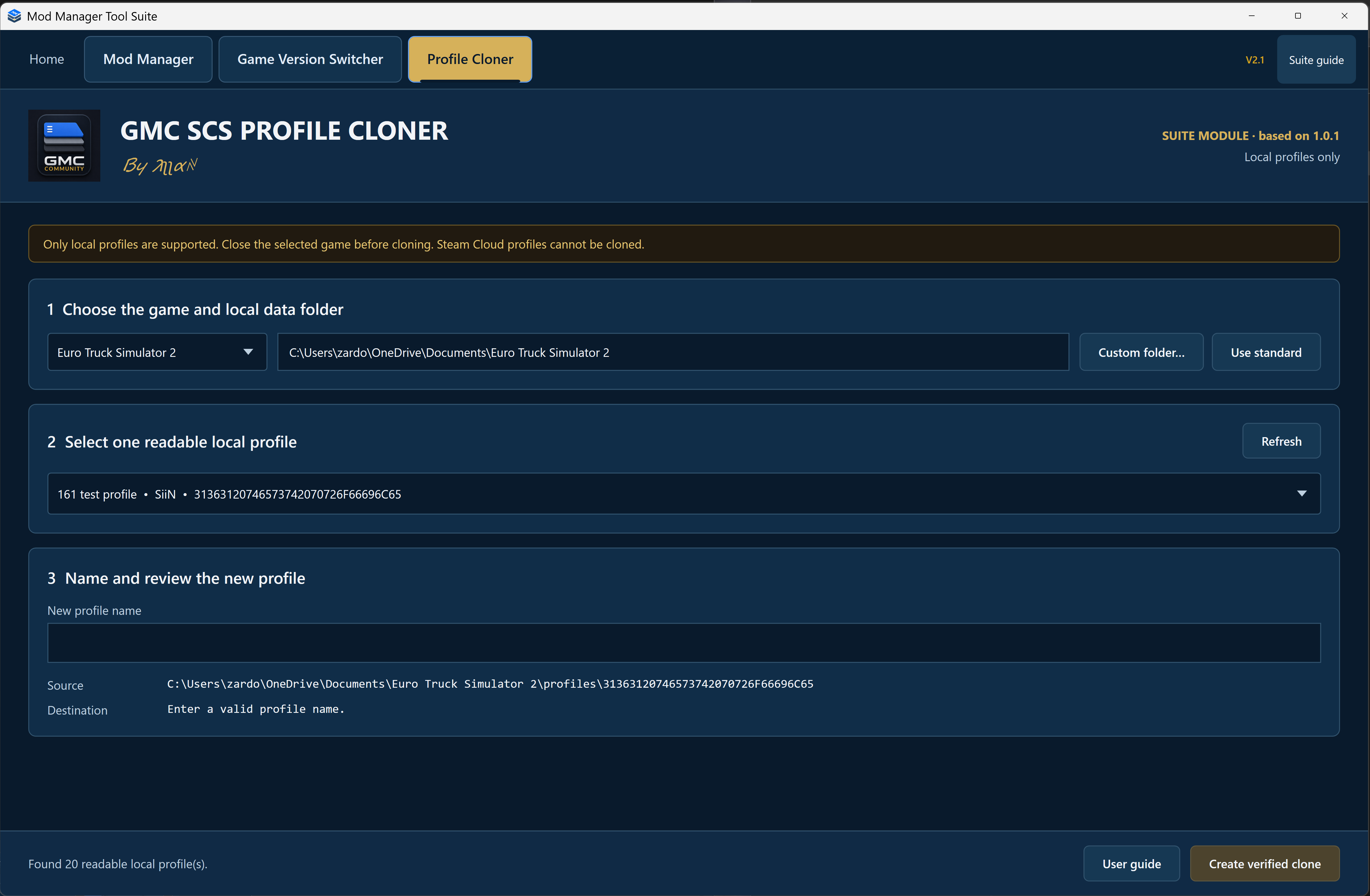
- Open Profile Cloner and choose ETS2 or ATS. Check the game-data folder or use Custom folder…. Custom folders are remembered separately for each game; Use suite default returns to the current Mod Manager folder.
- Select one readable local profile and enter the new profile name.
- Review the source and destination, then choose Create verified clone. Wait for it to finish before changing tools or closing the suite.
Local profiles only. Steam Cloud profiles cannot be cloned. You also need enough free space for an additional copy. Avoid editing or syncing the source files while cloning.
Keep the mods available
A cloned profile is not a separate game installation or a backup of your mod files. Keep the mods its saves need installed, and check compatibility before loading a different setup.
The suite module is based on Profile Cloner 1.0.1. It supports readable local profiles in OneDrive-backed Documents folders, but cannot clone every profile format. If it stops, keep the exact message and ask for help in GMC Community Discord.